> ## Documentation Index
> Fetch the complete documentation index at: https://fillout-005a867b-dependabot-npm-and-yarn-form-data-4-0-6.mintlify.site/llms.txt
> Use this file to discover all available pages before exploring further.
# Fillout Form Themes
> Design your Fillout form to match your brand by selecting from hundreds of customizable pre-built themes or creating your own. Edit colors, fonts, sizes, and more.
## How to change the theme
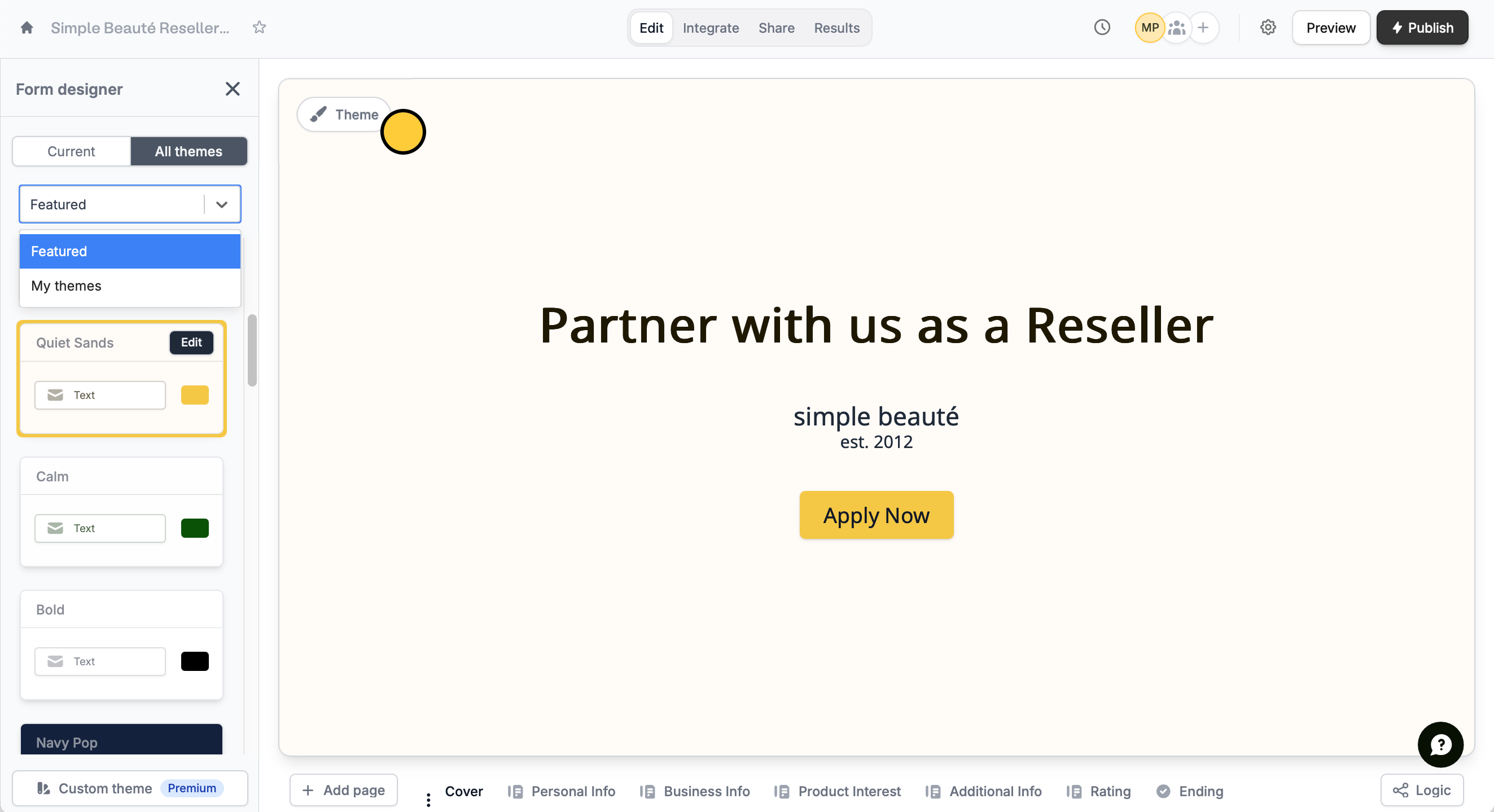
Click `Theme` to open the **Form designer**. In the left-hand panel, select a `Featured` theme or a design from `My Themes`, where your other form designs are auto-saved.
 ## Customize a theme
Click `Edit` to update your theme, or `Custom theme` to make your own.
Editing a theme updates it permanently. To keep the original, **duplicate** it or click **Custom theme** at the bottom of the left-hand panel.
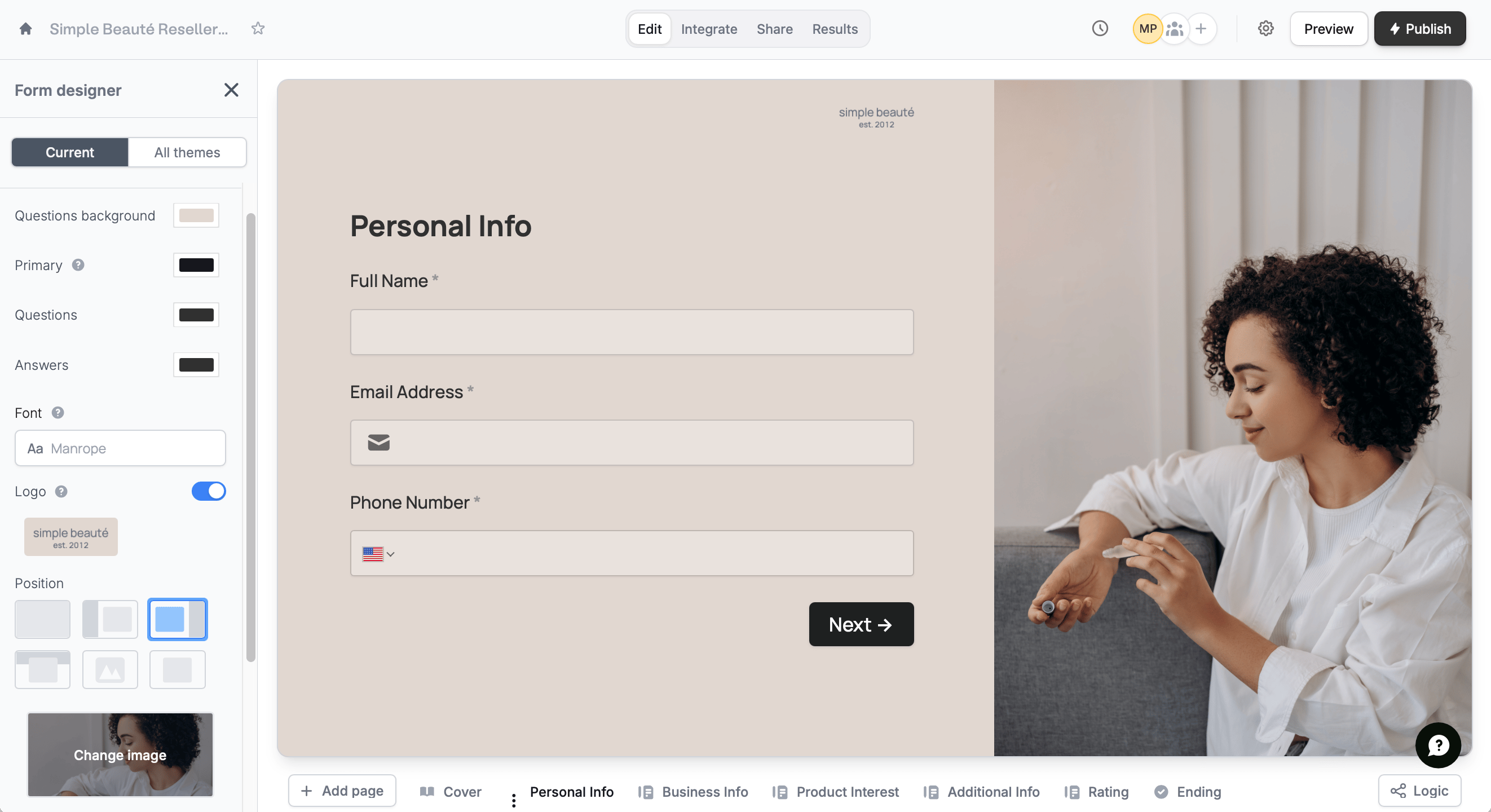
In the left-hand panel, you can modify the:
* **Questions background** color
* **Primary** color of buttons and accents throughout the form
* **Questions** text color
* **Answers** text color
* **Font** style
## Customize a theme
Click `Edit` to update your theme, or `Custom theme` to make your own.
Editing a theme updates it permanently. To keep the original, **duplicate** it or click **Custom theme** at the bottom of the left-hand panel.
In the left-hand panel, you can modify the:
* **Questions background** color
* **Primary** color of buttons and accents throughout the form
* **Questions** text color
* **Answers** text color
* **Font** style
 Customizing themes is available to **Starter** users and above. For more details on pricing, click [here](https://www.fillout.com/pricing).
You can also add and adjust:
* [**Logo**](/logo) for a professional and polished look
* [**Position**](/layout) or layout of your form
* [**Image**](/image-gif) uploaded or linked to the form
* **Brightness** of the image
* **Questions** button size
## Edit text formatting
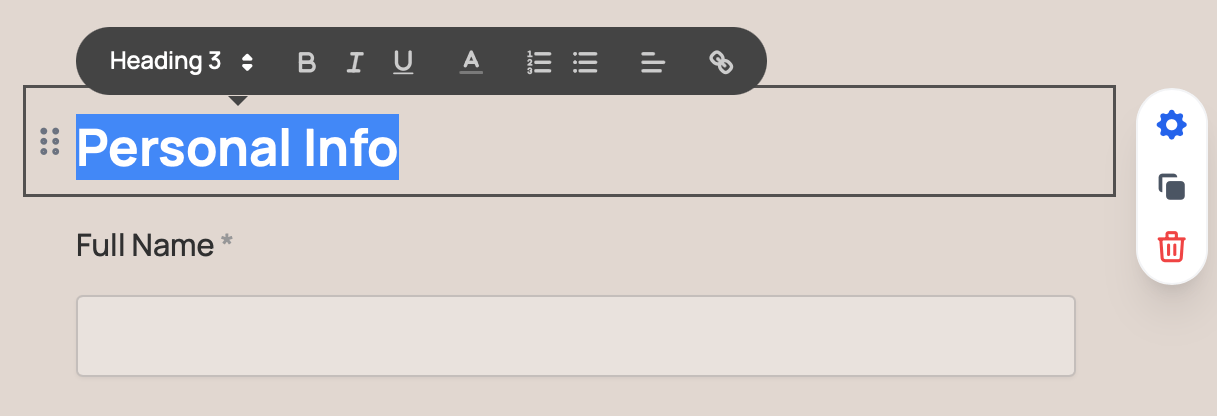
`Highlight text` to change its font size, style, color, type, alignment, or to turn it into a hyperlink.
Customizing themes is available to **Starter** users and above. For more details on pricing, click [here](https://www.fillout.com/pricing).
You can also add and adjust:
* [**Logo**](/logo) for a professional and polished look
* [**Position**](/layout) or layout of your form
* [**Image**](/image-gif) uploaded or linked to the form
* **Brightness** of the image
* **Questions** button size
## Edit text formatting
`Highlight text` to change its font size, style, color, type, alignment, or to turn it into a hyperlink.
 ## Related articles
Add a custom CSS, edit button style, change text padding, and more.
Choose from thousands of Google fonts or upload one.
Add a professional touch and create strong brand identity.
## Related articles
Add a custom CSS, edit button style, change text padding, and more.
Choose from thousands of Google fonts or upload one.
Add a professional touch and create strong brand identity.