> ## Documentation Index
> Fetch the complete documentation index at: https://fillout-005a867b-dependabot-npm-and-yarn-form-data-4-0-6.mintlify.site/llms.txt
> Use this file to discover all available pages before exploring further.
# Review page
> Let respondents review their answers before submitting your form.
## How to add a review page
Click `+ Add page` followed by **Review**.
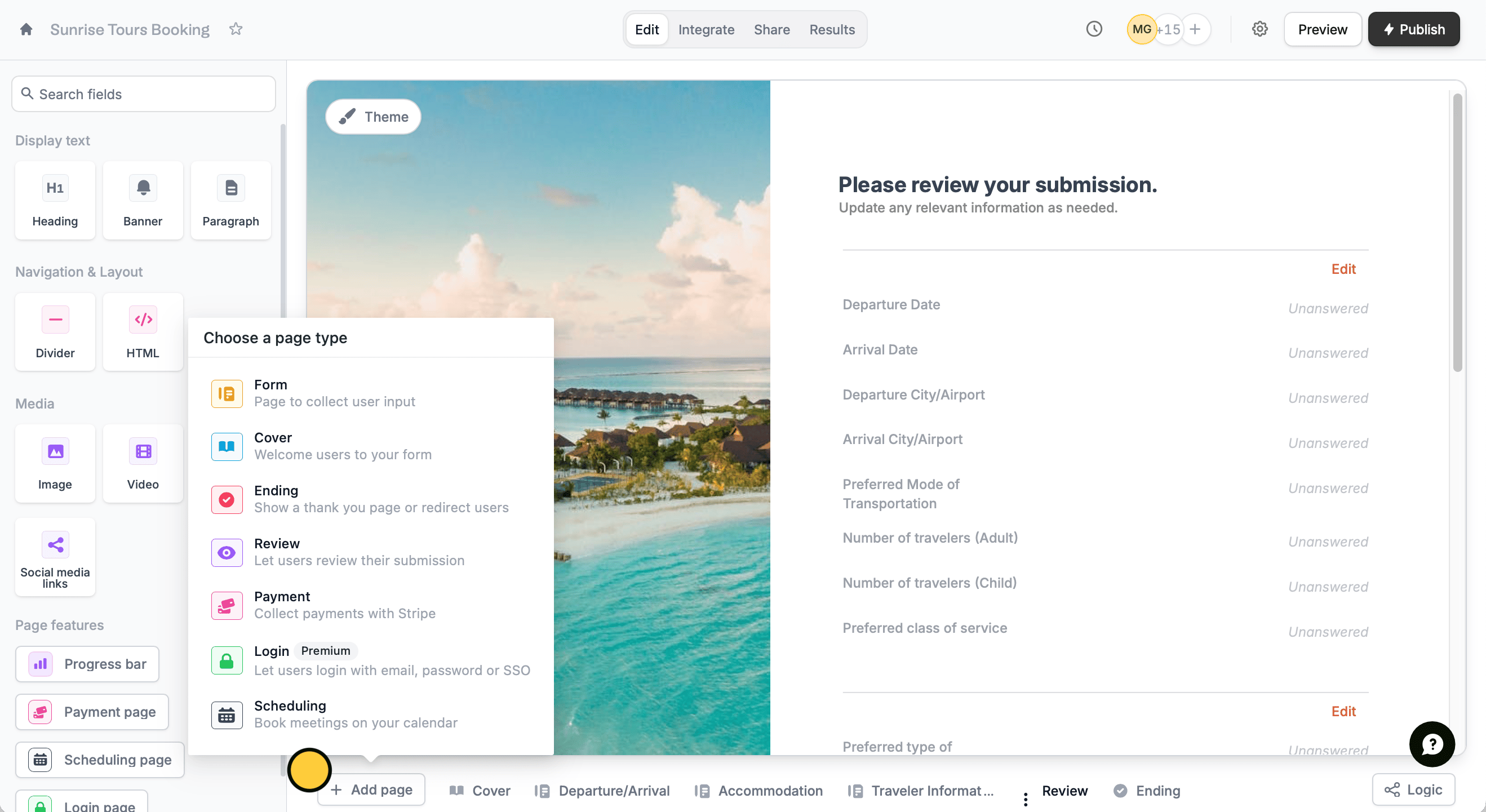 That’s it!
## Hide questions
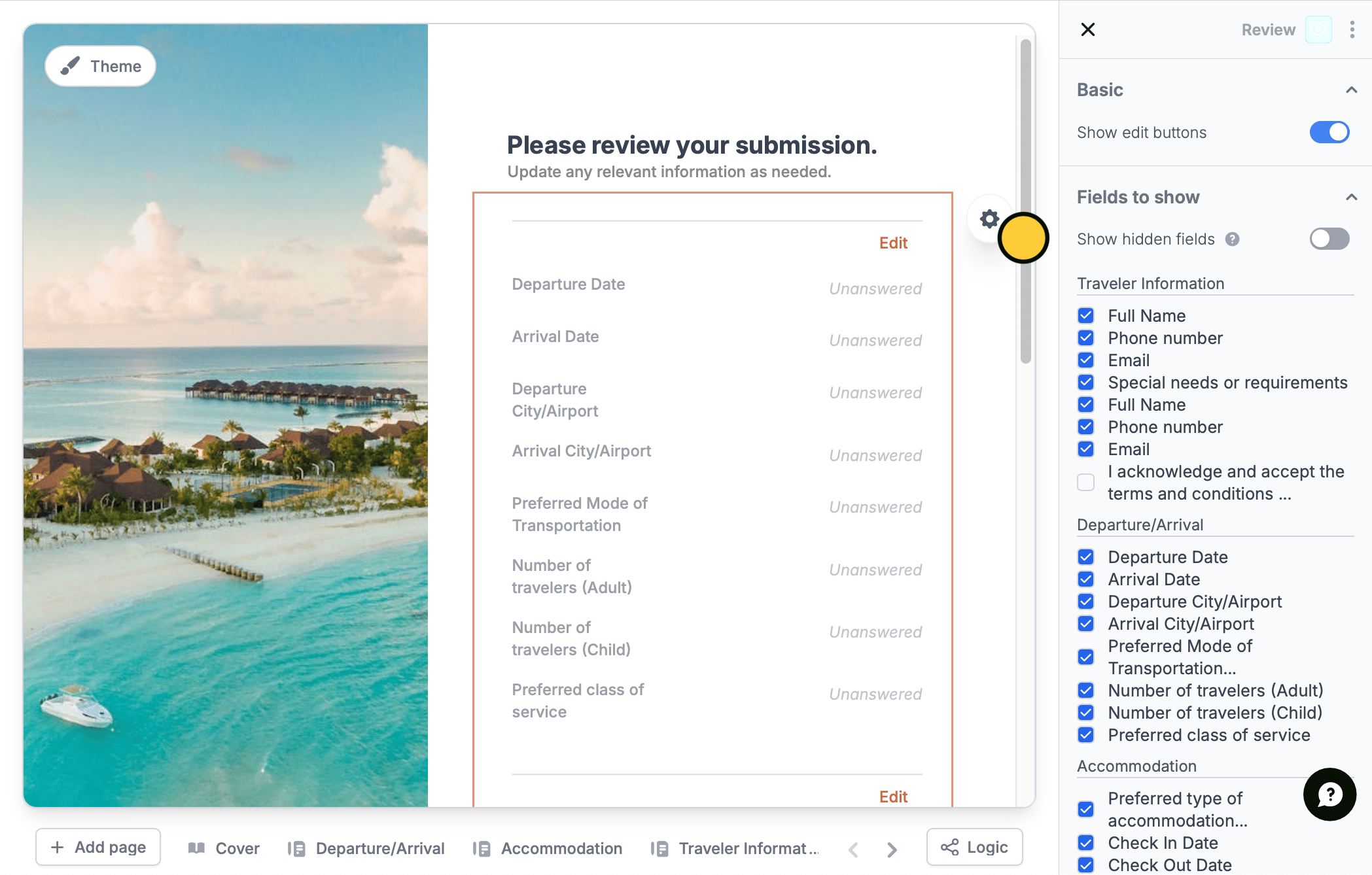
Optionally choose to hide certain questions from the review page. Click the `text` followed by to open the right-hand panel.
In the **Fields to show** section, untick the questions you prefer to hide.
That’s it!
## Hide questions
Optionally choose to hide certain questions from the review page. Click the `text` followed by to open the right-hand panel.
In the **Fields to show** section, untick the questions you prefer to hide.