> ## Documentation Index
> Fetch the complete documentation index at: https://fillout-005a867b-dependabot-npm-and-yarn-form-data-4-0-6.mintlify.site/llms.txt
> Use this file to discover all available pages before exploring further.
# Update existing items on Monday with a form
> Create forms that update existing items from Monday, and pre-fills fields with data from your Monday columns.
## How it works
Open your [Monday-connected form](https://www.fillout.com/help/monday). Click `Integrate` on the top menu followed by `Monday`.
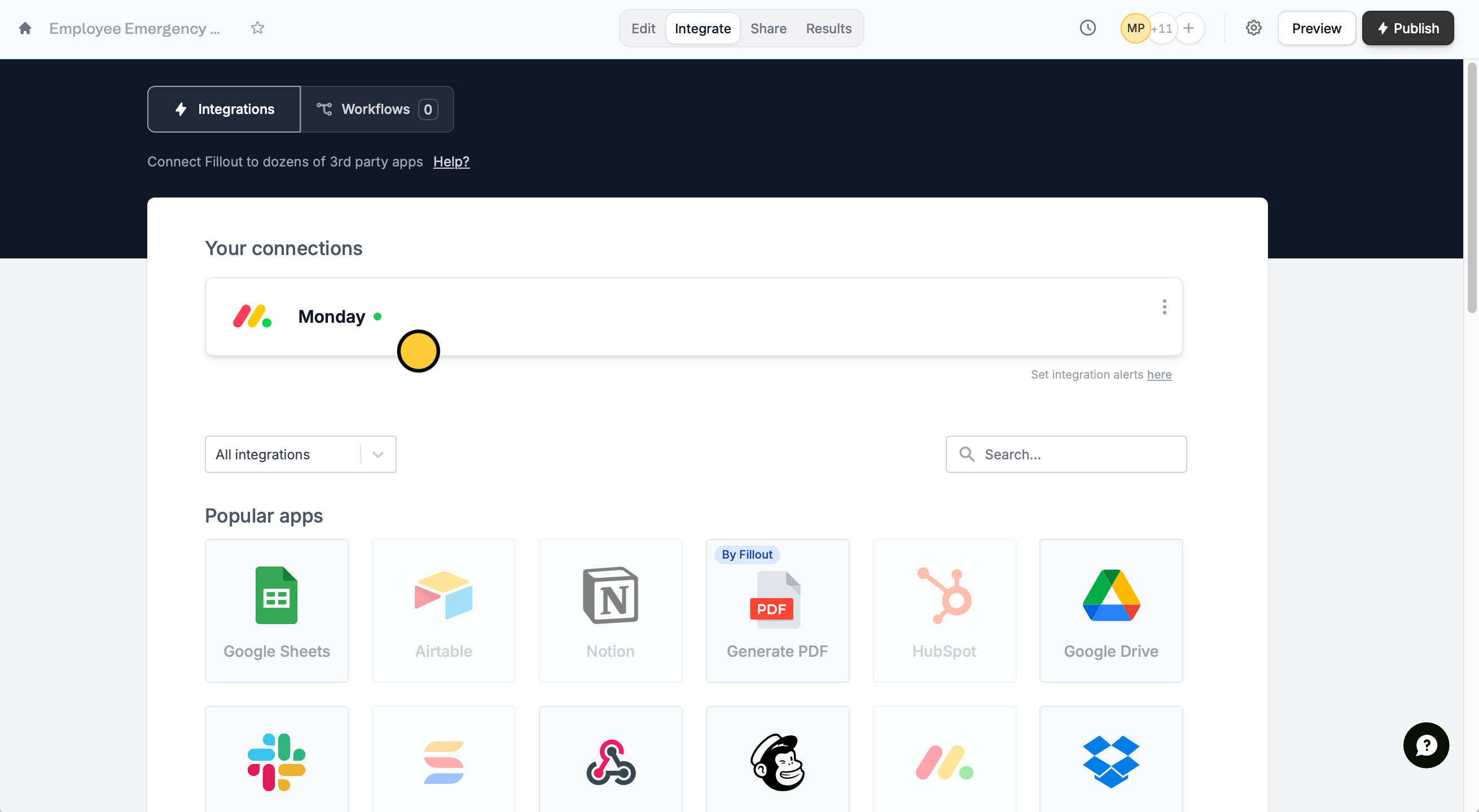 Then, click `Update item`.
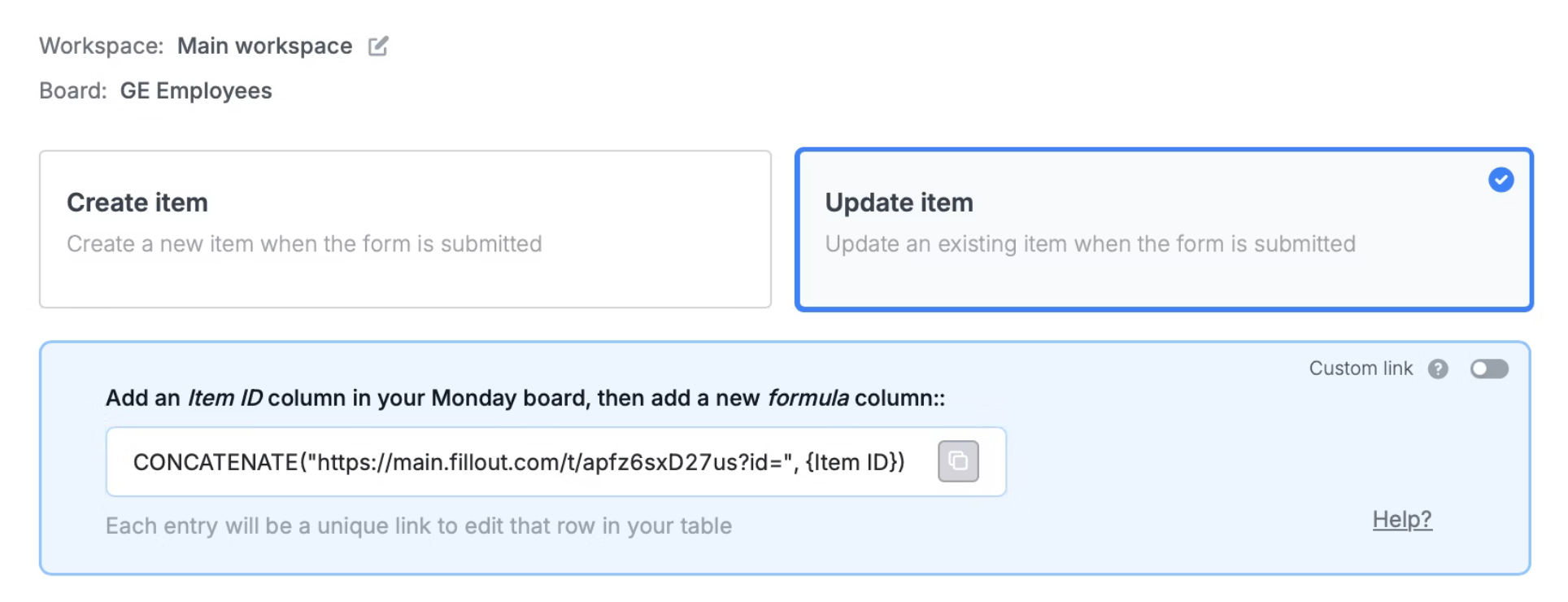 You’ll now get a formula that defines a **unique link** for every record in your table.
Attachments only sync when creating new items, not when updating items.
Go to your Monday table and click on the rightmost side to add an `Item ID column`. Add another column for the `Formula` where you'll paste the formula provided on the Fillout page. Click `Set formula` after.
You’ll now get a formula that defines a **unique link** for every record in your table.
Attachments only sync when creating new items, not when updating items.
Go to your Monday table and click on the rightmost side to add an `Item ID column`. Add another column for the `Formula` where you'll paste the formula provided on the Fillout page. Click `Set formula` after.
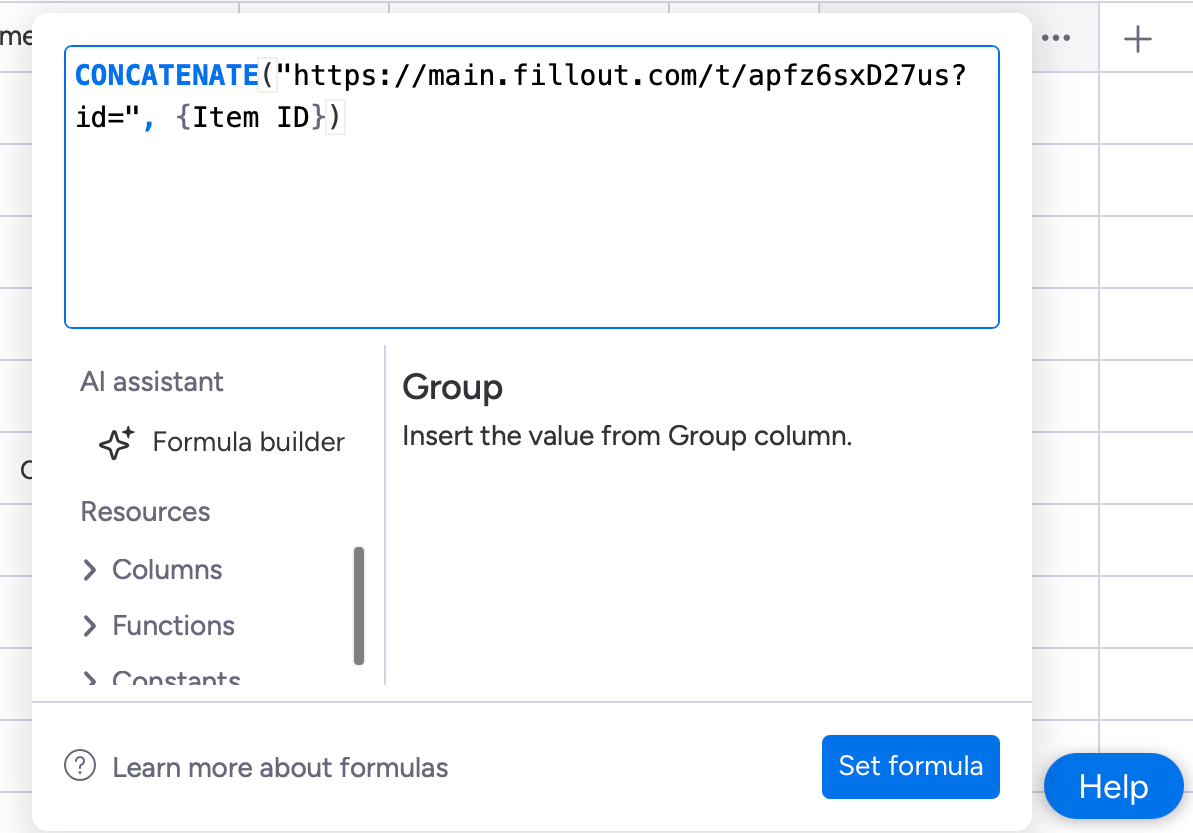 That's it! Click `Update` on the upper right corner followed by `Publish`.
To update a record, click `Preview` and select a **Record to update** or click one of the unique links from your Monday column.
That's it! Click `Update` on the upper right corner followed by `Publish`.
To update a record, click `Preview` and select a **Record to update** or click one of the unique links from your Monday column.
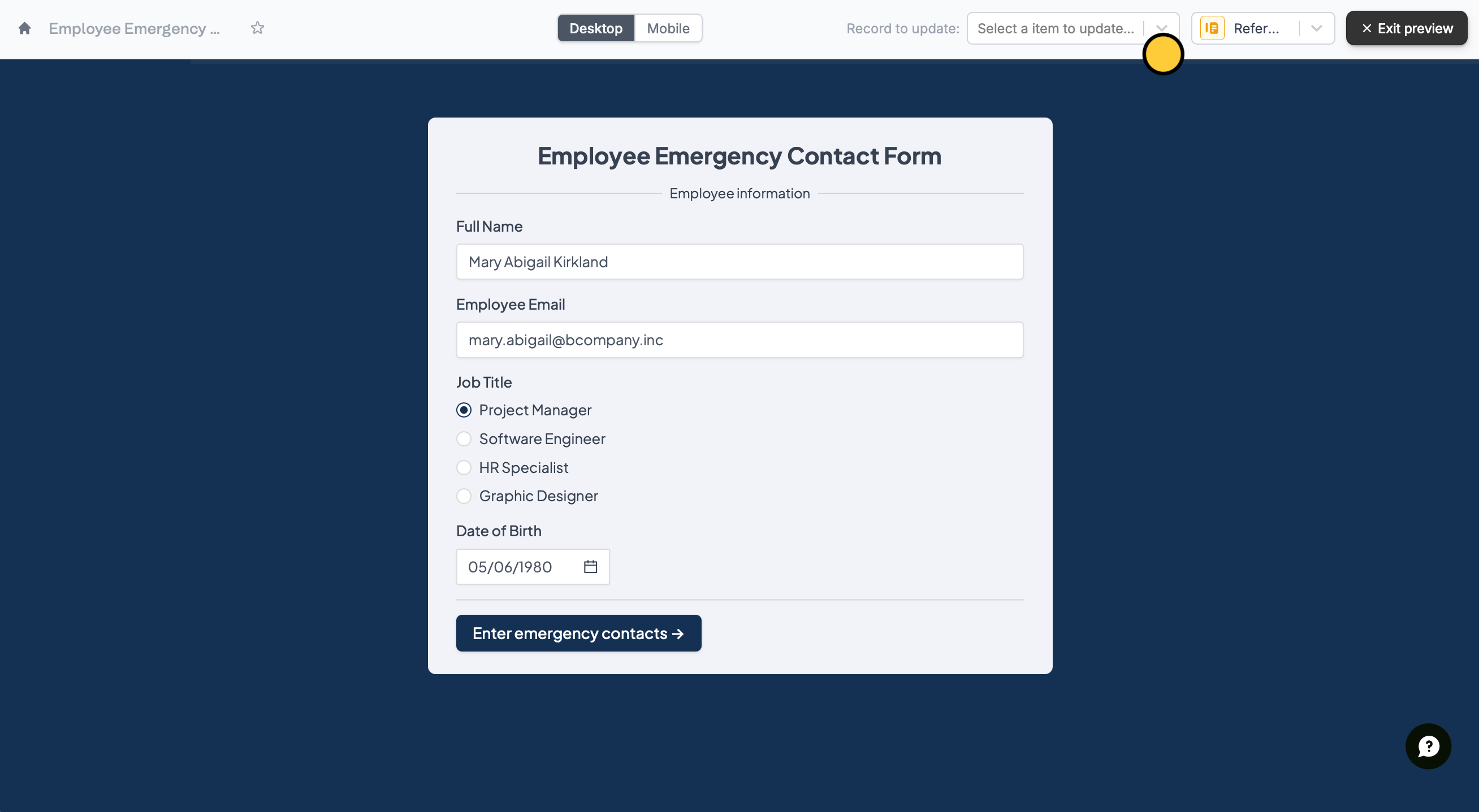 Your form is **automatically pre-filled** for whichever record it is updating.
If you don’t provide an **id** in the unique URL, the form will create a new record instead.
## Use a custom link to update an item
By default, items get updated by their unique ID. By toggling the `Custom link` switch, you will be able to choose another way to update your columns on Monday with [URL parameters](/url-parameters) (e.g., email input).
Your form is **automatically pre-filled** for whichever record it is updating.
If you don’t provide an **id** in the unique URL, the form will create a new record instead.
## Use a custom link to update an item
By default, items get updated by their unique ID. By toggling the `Custom link` switch, you will be able to choose another way to update your columns on Monday with [URL parameters](/url-parameters) (e.g., email input).
 ## Specify a condition
You can run your integration only when a specific condition is met. Check out this [guide](/conditional-integration).
## Related articles
Use a form to create leads and more.
Perform an integration only when a certain condition is met.
Pass information to a form to support pre-filling.
## Specify a condition
You can run your integration only when a specific condition is met. Check out this [guide](/conditional-integration).
## Related articles
Use a form to create leads and more.
Perform an integration only when a certain condition is met.
Pass information to a form to support pre-filling.