> ## Documentation Index
> Fetch the complete documentation index at: https://fillout-005a867b-dependabot-npm-and-yarn-form-data-4-0-6.mintlify.site/llms.txt
> Use this file to discover all available pages before exploring further.
# Manage team members
> Remove or add team members, update their emails, and manage their account access.
## How to remove team members
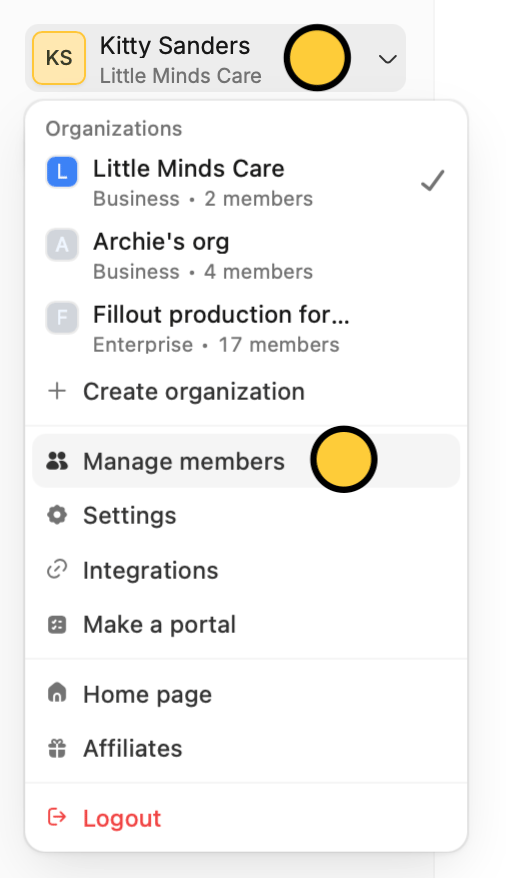
On the Fillout dashboard, click your `Account name` on the upper left corner followed by `Manage members`.
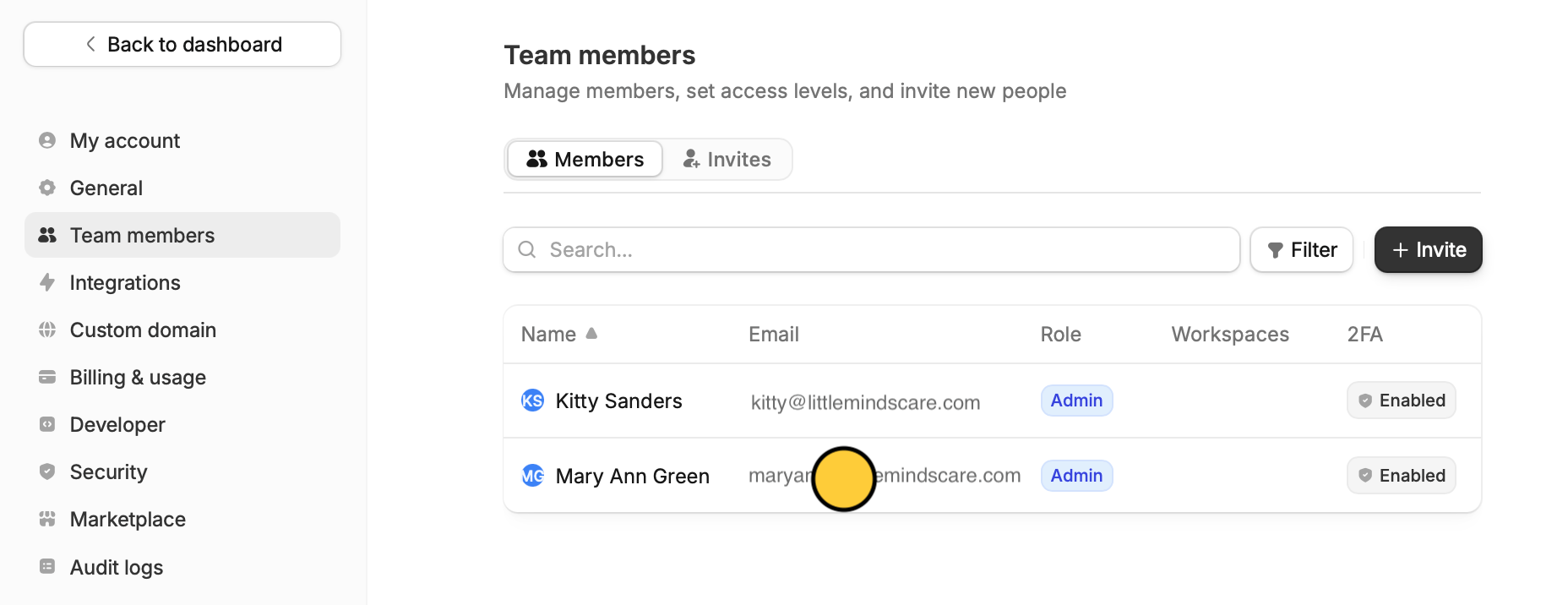
 Click the **account** you want to remove.
 In the popup, click `Remove` to confirm.
## Add team members
`Invite members` directly from your dashboard. Check out [this guide](https://www.fillout.com/help/invite-collaborators).
## Update a member's email
From the dashboard, click your `Account name` on the upper left corner followed by `Manage members`.
Click the **account** you want to update with the new email.
In the popup, click `Remove` to confirm.
## Add team members
`Invite members` directly from your dashboard. Check out [this guide](https://www.fillout.com/help/invite-collaborators).
## Update a member's email
From the dashboard, click your `Account name` on the upper left corner followed by `Manage members`.
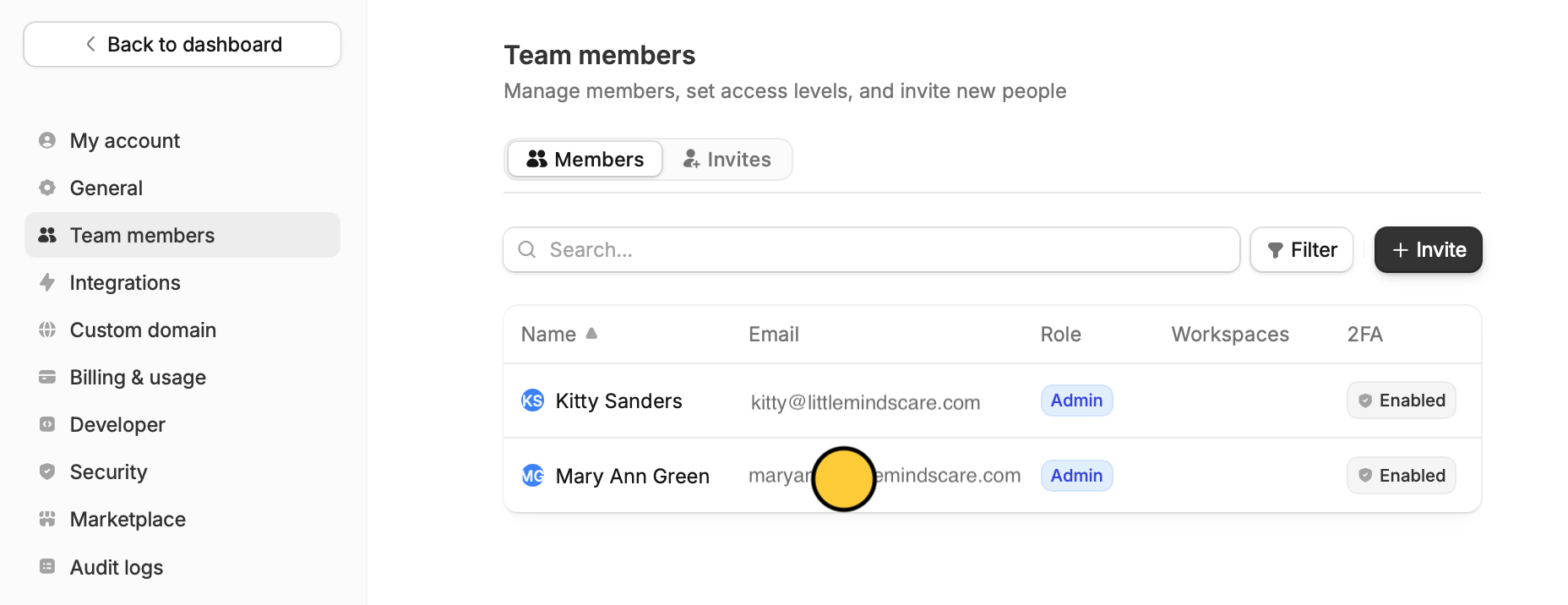
Click the **account** you want to update with the new email.
 `Edit` the email address and replace it with the updated email.
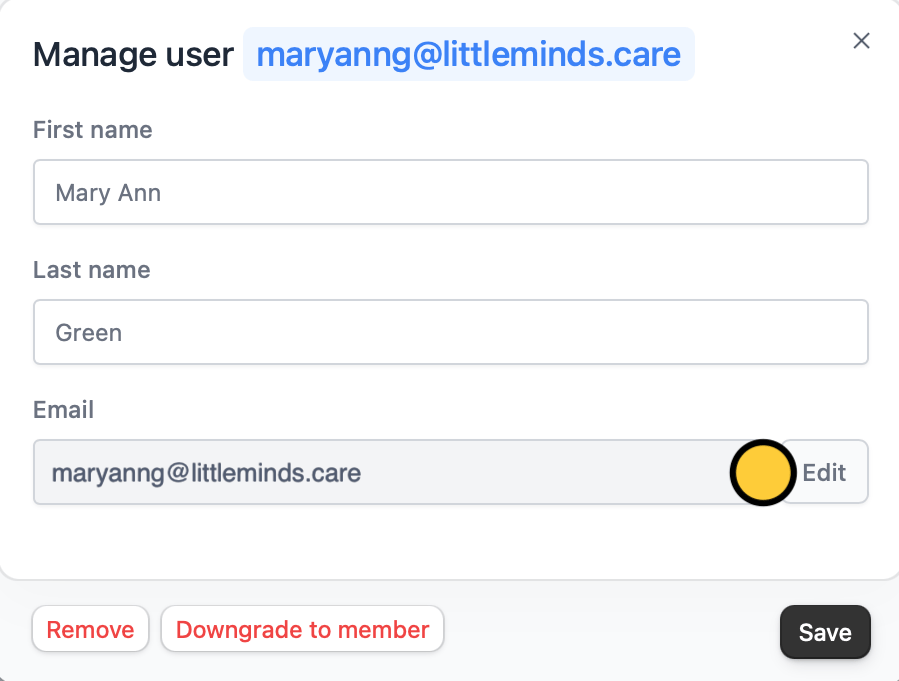 A verification link will be sent to the new email address.
## Manage a member's access
To add or reduce a member's access to forms, workspaces, and integrations, check out [this guide](https://www.fillout.com/help/granular-permissions).
A verification link will be sent to the new email address.
## Manage a member's access
To add or reduce a member's access to forms, workspaces, and integrations, check out [this guide](https://www.fillout.com/help/granular-permissions).