> ## Documentation Index
> Fetch the complete documentation index at: https://fillout-005a867b-dependabot-npm-and-yarn-form-data-4-0-6.mintlify.site/llms.txt
> Use this file to discover all available pages before exploring further.
# Update existing records with a form
> Edit existing records on your Zite database by letting users complete a Fillout form.
## How it works
You can have others update your Zite database without giving them direct access to your tables. Instead, connect a Fillout form where users can select and edit an existing record. Their responses will automatically update the matched record in your database. This is useful in various cases.
Before you start, make sure your Fillout form is connected to your Zite database. More info [here](https://www.fillout.com/help/guides/sync-form-results).
### Common Use Cases
* **Contact Information:** Let clients or employees update their address, contact number, etc.
* **Inventory:** Allow warehouse or operations staff to update current stock levels
* **Customer Feedback:** Let customers update their preferences or provide additional details
* **Event Registrations:** Allow attendees to modify their registration details
* **Employee Records:** Let HR or team leads update employee info like department or role
## Enable record updates
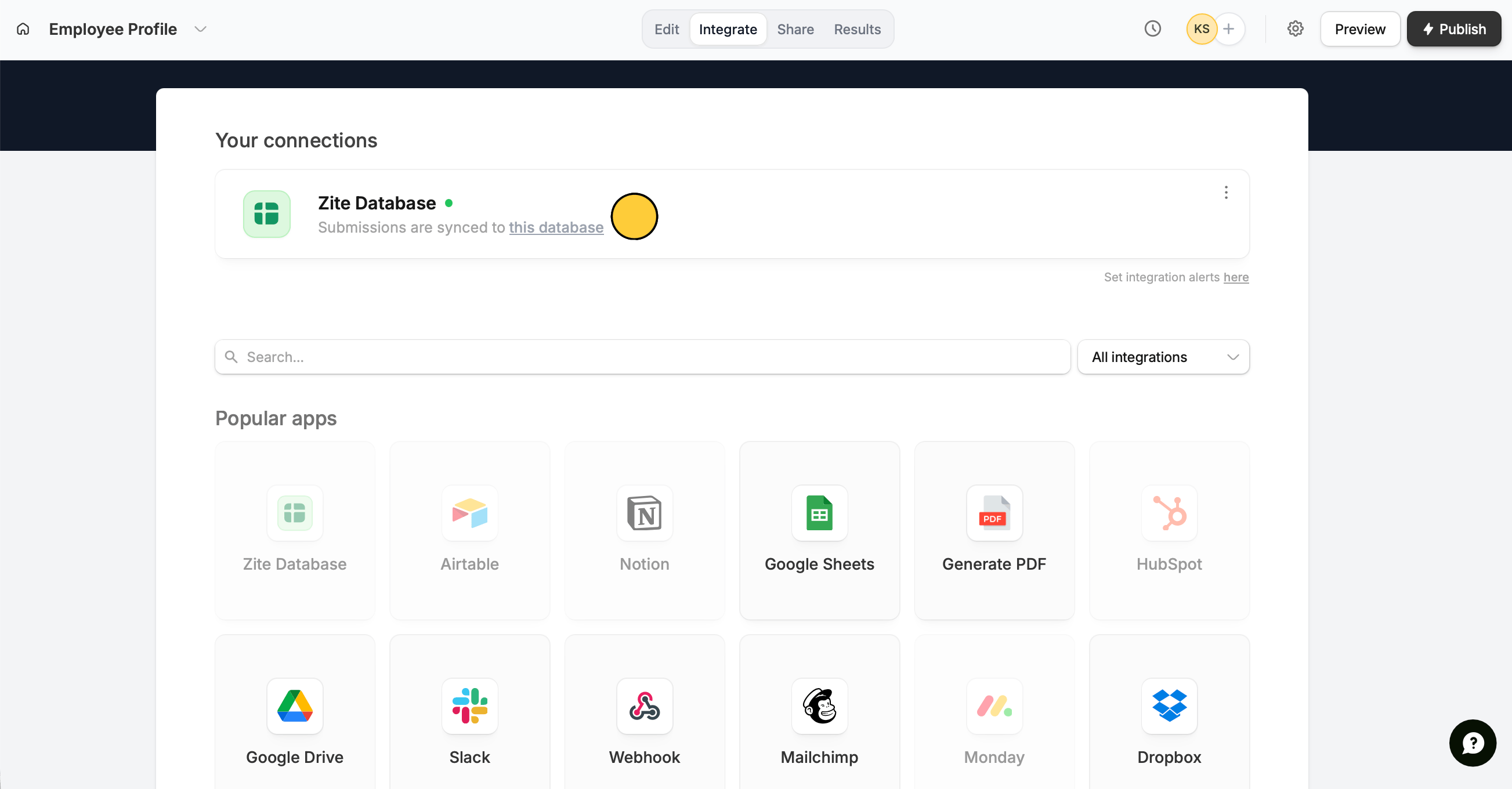
Open your [Zite-connected form](https://www.fillout.com/help/guides/sync-form-results). Click `Integrate` in the top menu followed by `Zite Database`.
 Zite automatically links your form fields to matching database fields under **Mappings**. Choose to `Update record`.
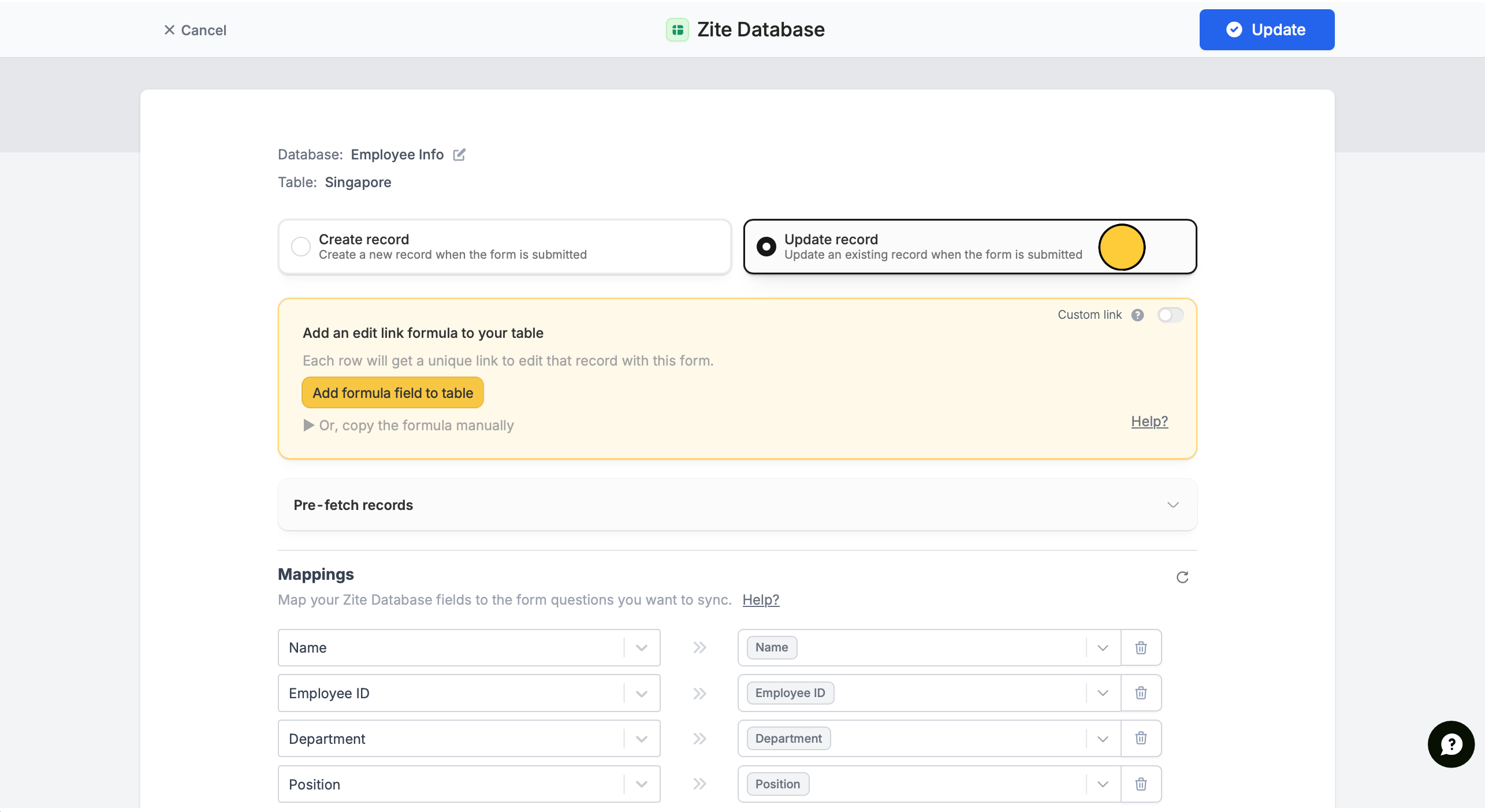 Click `Add formula field to table` (in the yellow box). A formula field will automatically be added to each record. No need to paste anything.
Click `Update` on the upper right corner followed by `Publish`.
That's it! Now others can update datatabase records with a form.
## Update records
There are two ways to update records based on form access.
**Preview mode**
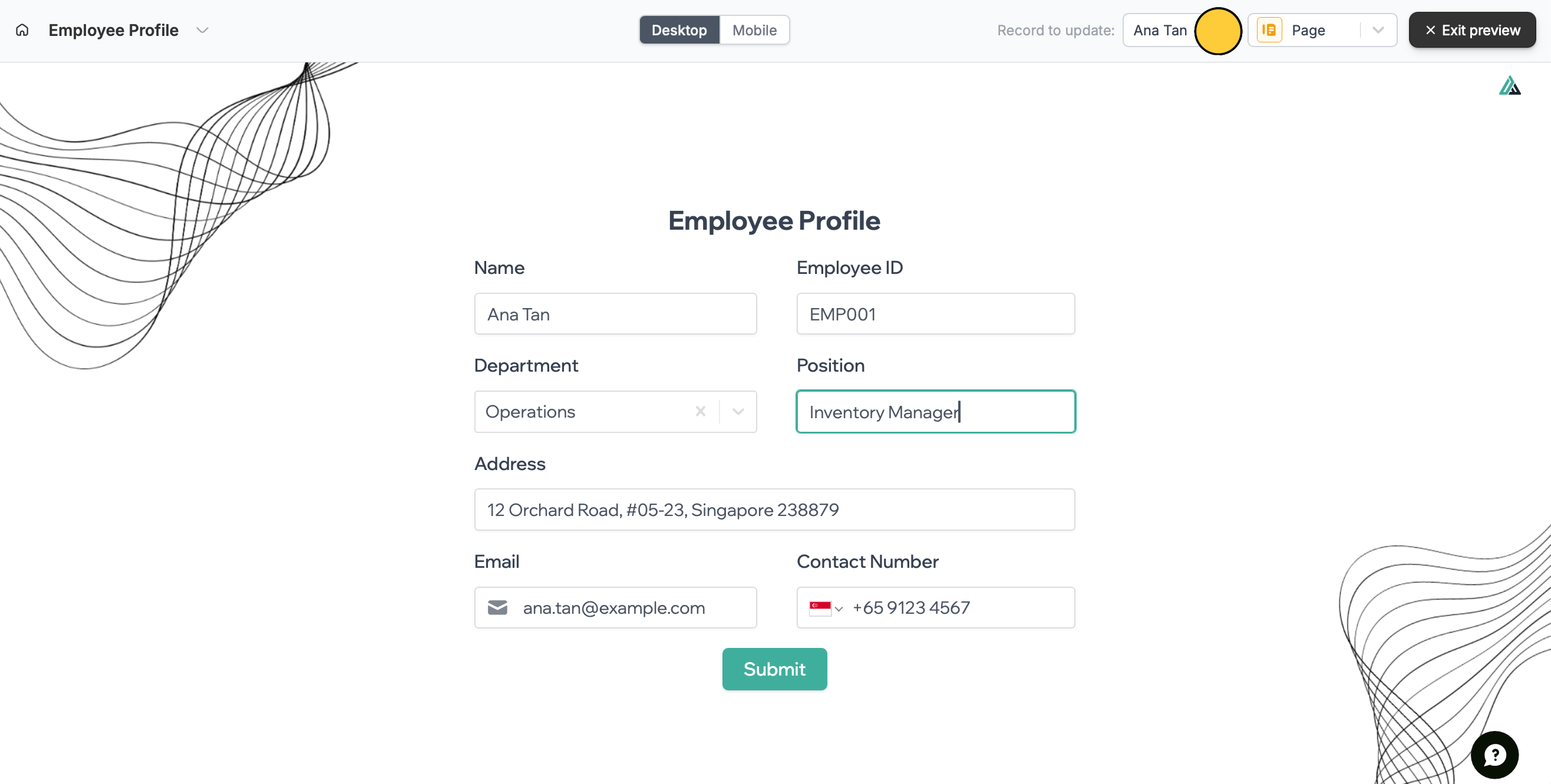
If they have [form](https://www.fillout.com/help/invite-collaborators#share-a-specific-form) or [workspace access](https://www.fillout.com/help/granular-permissions), they can simply `Preview` the form and select a `Record to update`.
Click `Add formula field to table` (in the yellow box). A formula field will automatically be added to each record. No need to paste anything.
Click `Update` on the upper right corner followed by `Publish`.
That's it! Now others can update datatabase records with a form.
## Update records
There are two ways to update records based on form access.
**Preview mode**
If they have [form](https://www.fillout.com/help/invite-collaborators#share-a-specific-form) or [workspace access](https://www.fillout.com/help/granular-permissions), they can simply `Preview` the form and select a `Record to update`.
 For forms containing sensitive information that should only be updated by the user, we recommend sending a unique link. More info below.
**Unique link**
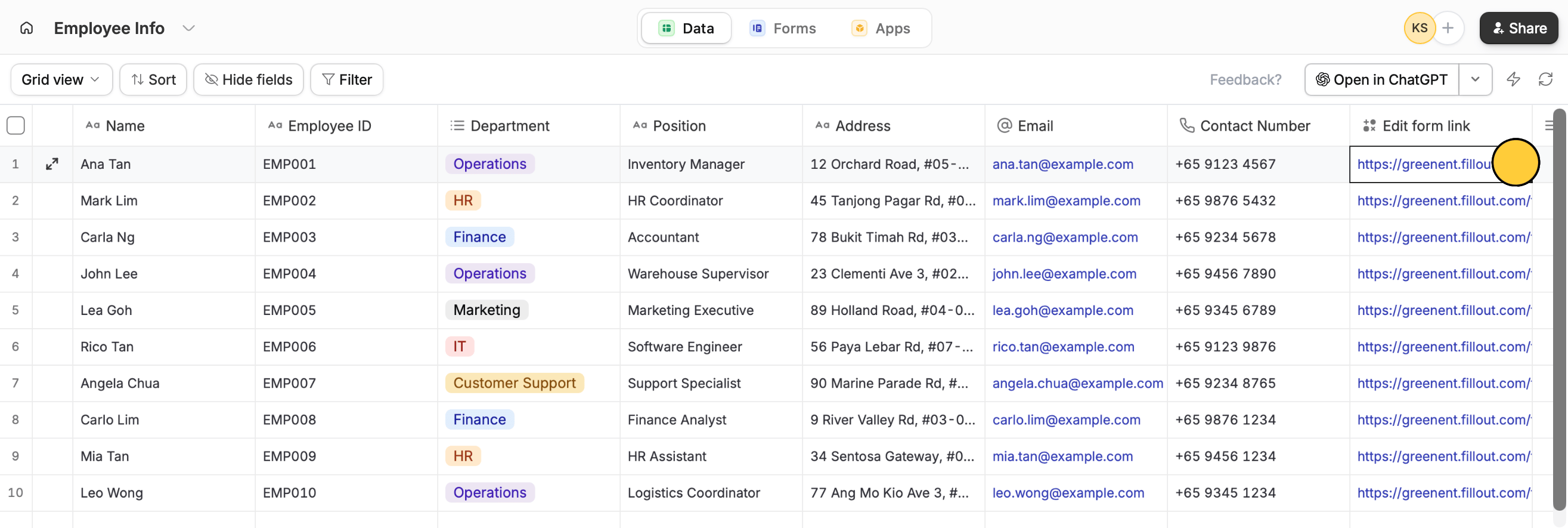
For those without access, you can send them the **Edit form link** of the unique record found in your database.
For forms containing sensitive information that should only be updated by the user, we recommend sending a unique link. More info below.
**Unique link**
For those without access, you can send them the **Edit form link** of the unique record found in your database.
 ## Related articles
Add multiple tables, custom fields, views, and more.
View results, analyze, data, and edit forms with free seats.
Set member access to view only, and restrict integrations.
## Related articles
Add multiple tables, custom fields, views, and more.
View results, analyze, data, and edit forms with free seats.
Set member access to view only, and restrict integrations.