> ## Documentation Index
> Fetch the complete documentation index at: https://fillout-005a867b-dependabot-npm-and-yarn-form-data-4-0-6.mintlify.site/llms.txt
> Use this file to discover all available pages before exploring further.
# Map Zite database columns to form fields
> Send values to your Zite database columns from your Fillout form.
## Overview
You can update your Zite database indirectly using forms, or by allowing others to submit data. This ensures your database stays accurate and up-to-date without giving direct access to your tables, reducing errors and maintaining security.
## Automatic column or field mapping
If you’ve already created columns in your Zite database and fields in Fillout forms before connecting them, Zite will automatically map matching fields (e.g., Name → Name, Contact Number → Phone Number).
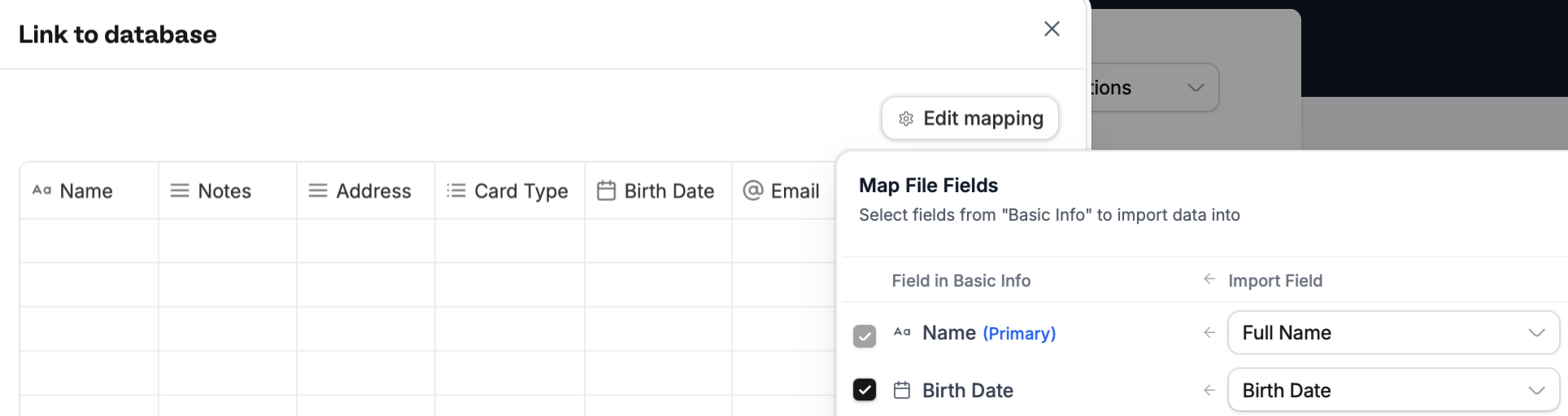 If no match is found, **check** the column and `Select field` in the dropdown. Then, `Continue`.
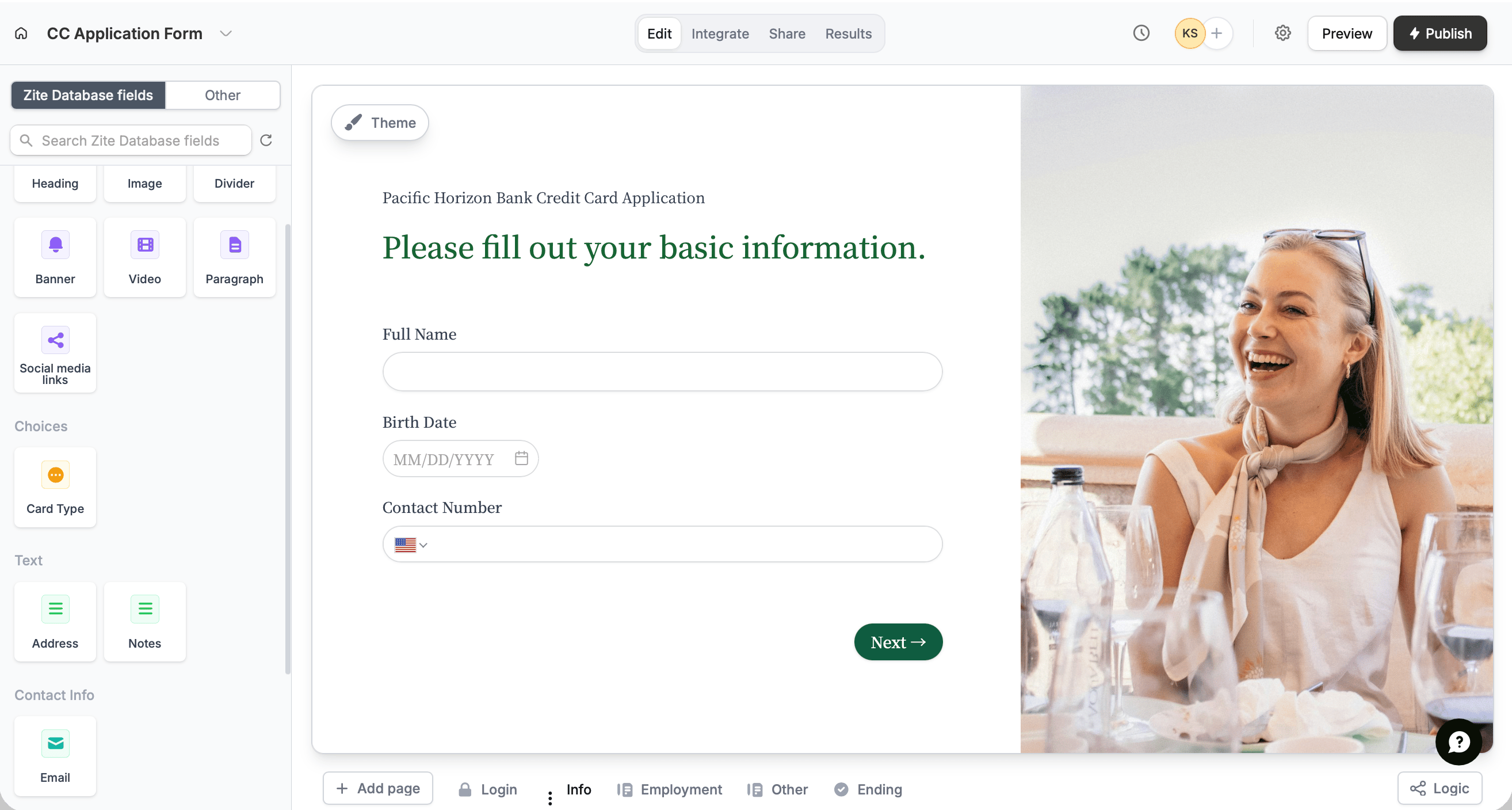
If you haven't added form fields prior to connecting, Zite will pull in any columns or fields from your database and turn them into form fields. These **connected fields appear in the left-hand panel**, ready to be dragged and dropped into your form.
If no match is found, **check** the column and `Select field` in the dropdown. Then, `Continue`.
If you haven't added form fields prior to connecting, Zite will pull in any columns or fields from your database and turn them into form fields. These **connected fields appear in the left-hand panel**, ready to be dragged and dropped into your form.
 ## Map columns or fields manually
To map fields or columns added after the connection was made, follow the steps [here](https://www.fillout.com/help/additional-integration-mappings#how-to-map-fields-manually). You can even [change existing mapping and update options](https://www.fillout.com/help/additional-integration-mappings#updating-fields-and-options).
## Related articles
Configure form fields and values to send to integrations.
## Map columns or fields manually
To map fields or columns added after the connection was made, follow the steps [here](https://www.fillout.com/help/additional-integration-mappings#how-to-map-fields-manually). You can even [change existing mapping and update options](https://www.fillout.com/help/additional-integration-mappings#updating-fields-and-options).
## Related articles
Configure form fields and values to send to integrations.