> ## Documentation Index
> Fetch the complete documentation index at: https://fillout-005a867b-dependabot-npm-and-yarn-form-data-4-0-6.mintlify.site/llms.txt
> Use this file to discover all available pages before exploring further.
# Edit form submissions
> Edit form responses with Fillout to update the provided information and rerun integrations.
Want to allow respondents to edit their own submissions? See [our guide here](/edit-form-submissions).
## How to edit responses
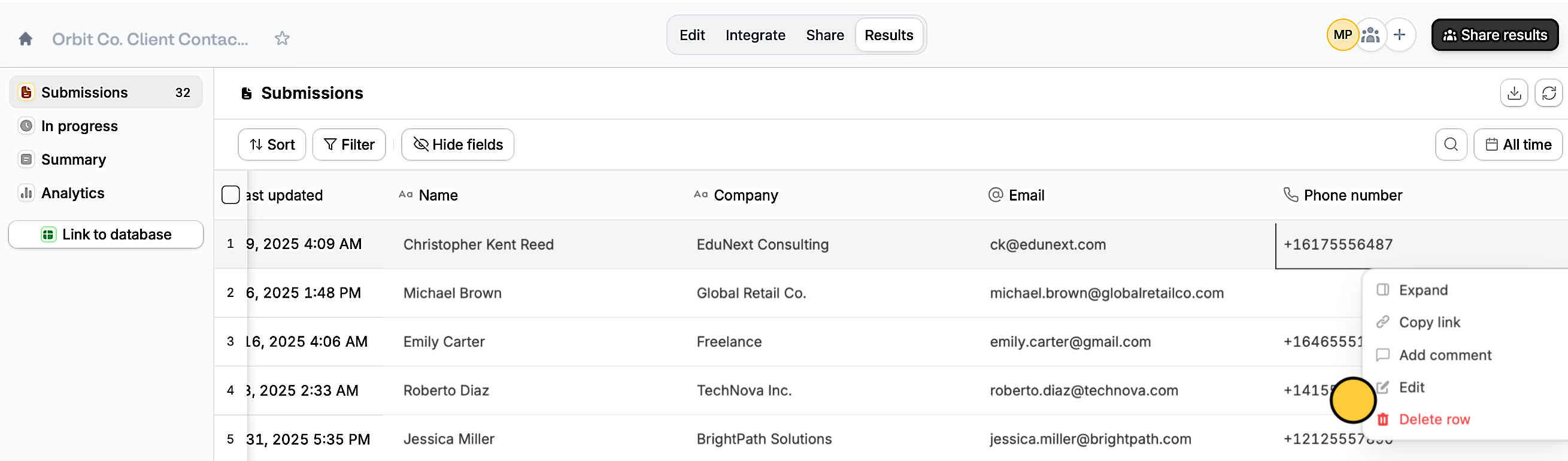
Go to your form's `Results` tab. Then, **right-click** on the input you need to `Edit`.
 You’ll be redirected to the form pre-filled with the respondent’s answers. Edit any input there and click `Submit`.
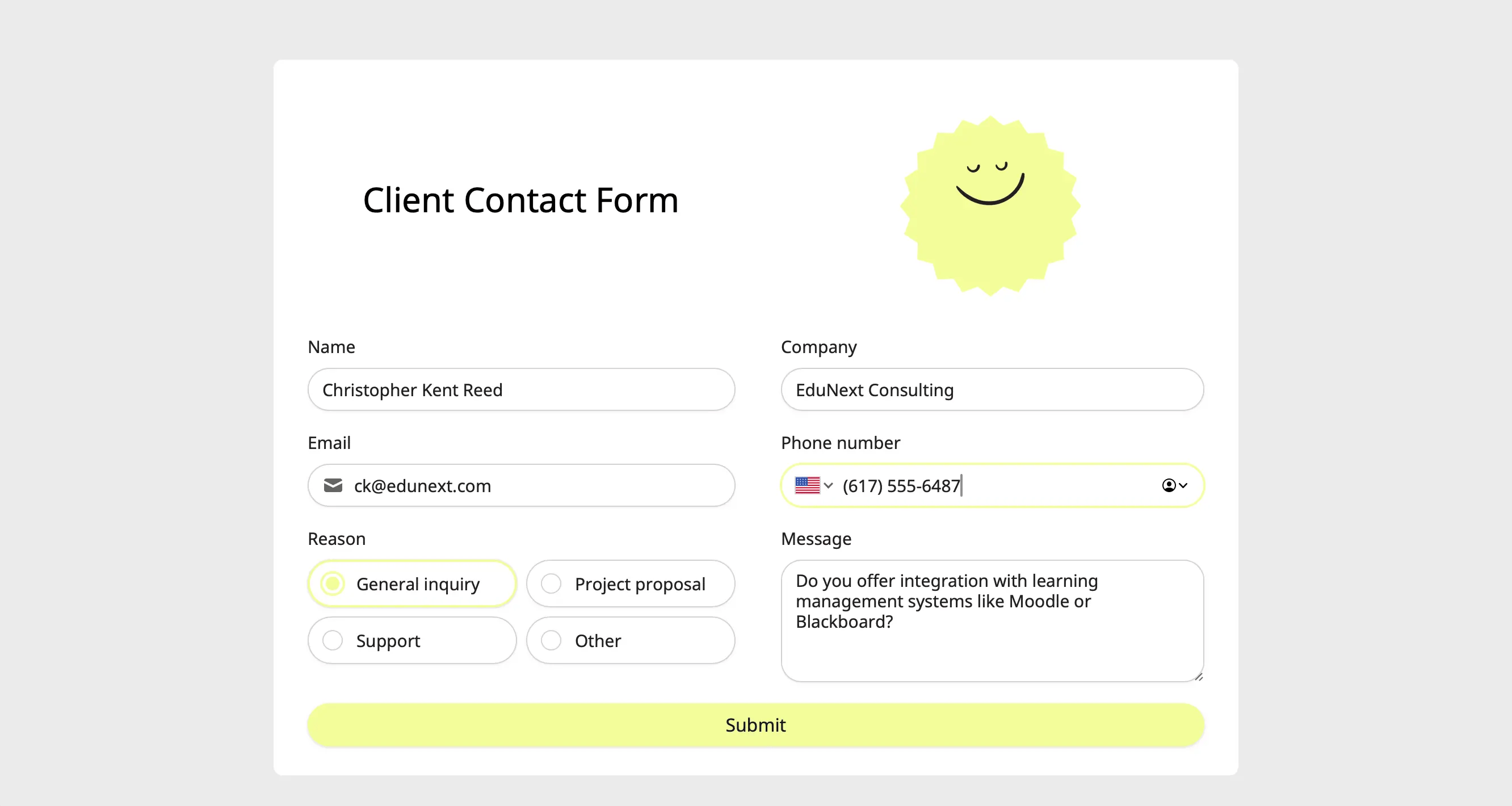 You can also send the **link** of this pre-filled form to the respondent in case they want to edit their answers. Simply **right-click** on a cell and choose `Copy link`.
Editing form submissions automatically updates data synced through [**integrations**](/integrations). This will update existing records in Airtable or Notion, send new alerts on Slack, update Dropbox folders, and etc.
## Related articles
Auto-save progress so respondents can resume later.
View results, and edit forms with free seats.
Keep form responses updated.
You can also send the **link** of this pre-filled form to the respondent in case they want to edit their answers. Simply **right-click** on a cell and choose `Copy link`.
Editing form submissions automatically updates data synced through [**integrations**](/integrations). This will update existing records in Airtable or Notion, send new alerts on Slack, update Dropbox folders, and etc.
## Related articles
Auto-save progress so respondents can resume later.
View results, and edit forms with free seats.
Keep form responses updated.