> ## Documentation Index
> Fetch the complete documentation index at: https://fillout-005a867b-dependabot-npm-and-yarn-form-data-4-0-6.mintlify.site/llms.txt
> Use this file to discover all available pages before exploring further.
# Form abandonment solutions
> Decrease form abandonment by reminding leads to complete your form and notifying your team members when a form hasn’t been finished yet through Conversion Kit workflows.
## How to automate form abandonment prevention
Click **Workflows** from the top menu of your Fillout dashboard and choose between the **Conversion kit** workflow templates. Alternatively, you can create a new form or open an existing form, and click **Integrate** in the top menu.
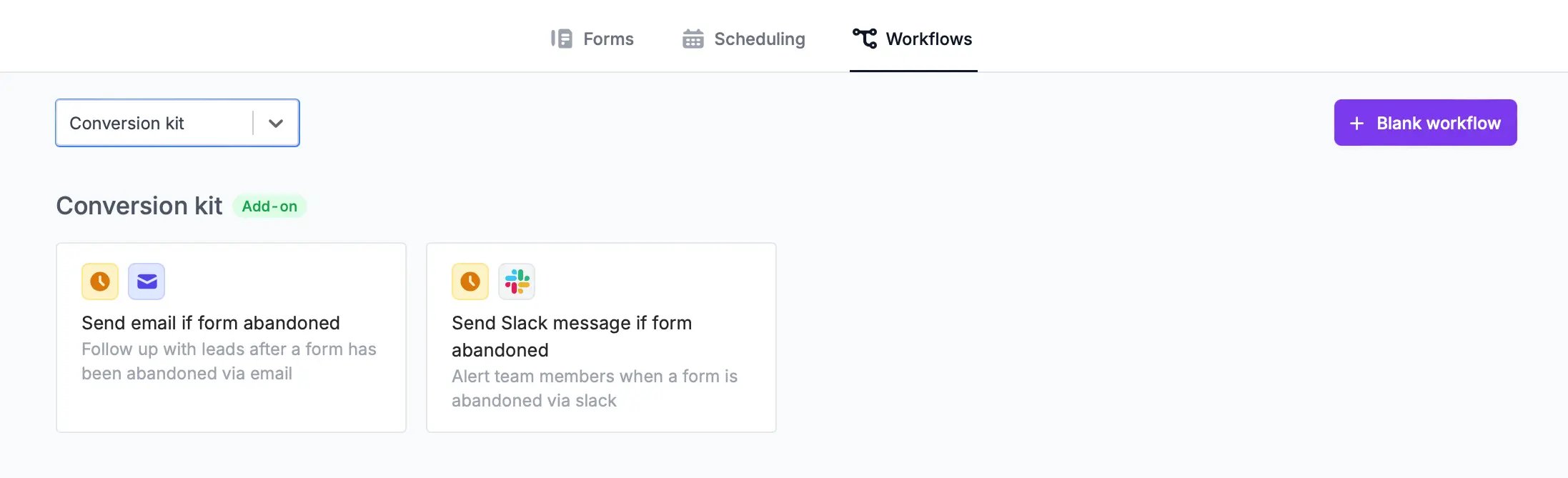 You can either **Send email if form abandoned** or **Send Slack message if form abandoned**. `Create workflow` then choose the existing form you’d like to apply it to.
## Send email if form abandoned
Follow up with leads who haven’t completed your form yet. By default, email reminders are sent 30 minutes after a respondent exits a [partially completed form](/partial-submissions). Set your preferred time period by clicking `Edit` under **Form abandoned**.
You can either **Send email if form abandoned** or **Send Slack message if form abandoned**. `Create workflow` then choose the existing form you’d like to apply it to.
## Send email if form abandoned
Follow up with leads who haven’t completed your form yet. By default, email reminders are sent 30 minutes after a respondent exits a [partially completed form](/partial-submissions). Set your preferred time period by clicking `Edit` under **Form abandoned**.
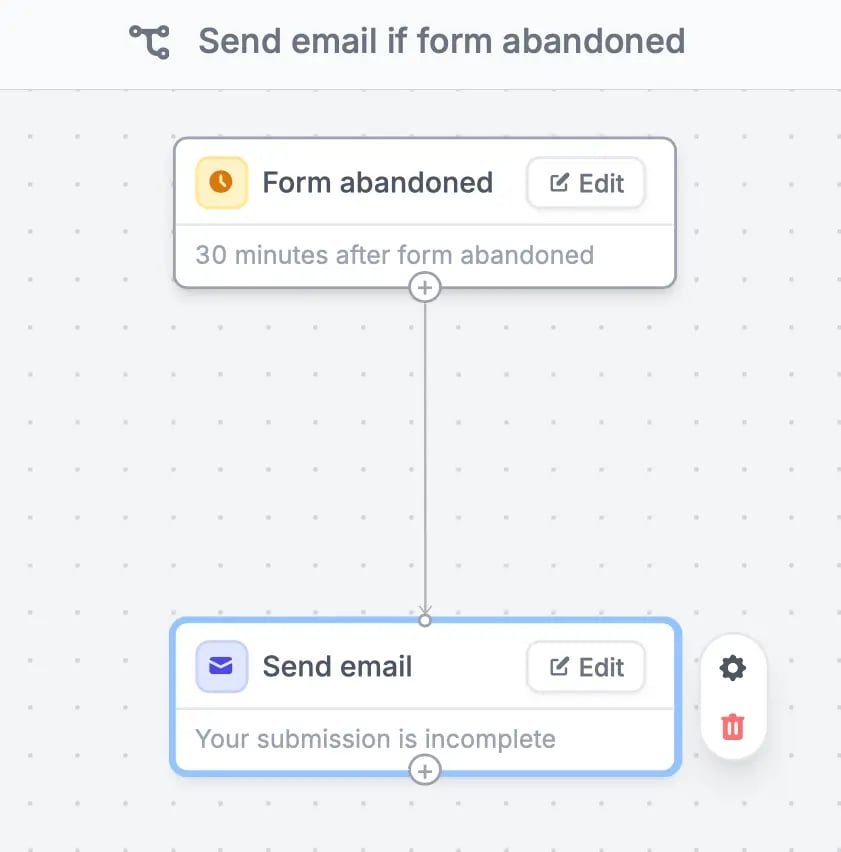 This reminder is automatically sent to the email address inputted by your respondents in the form so make sure to include an email field.
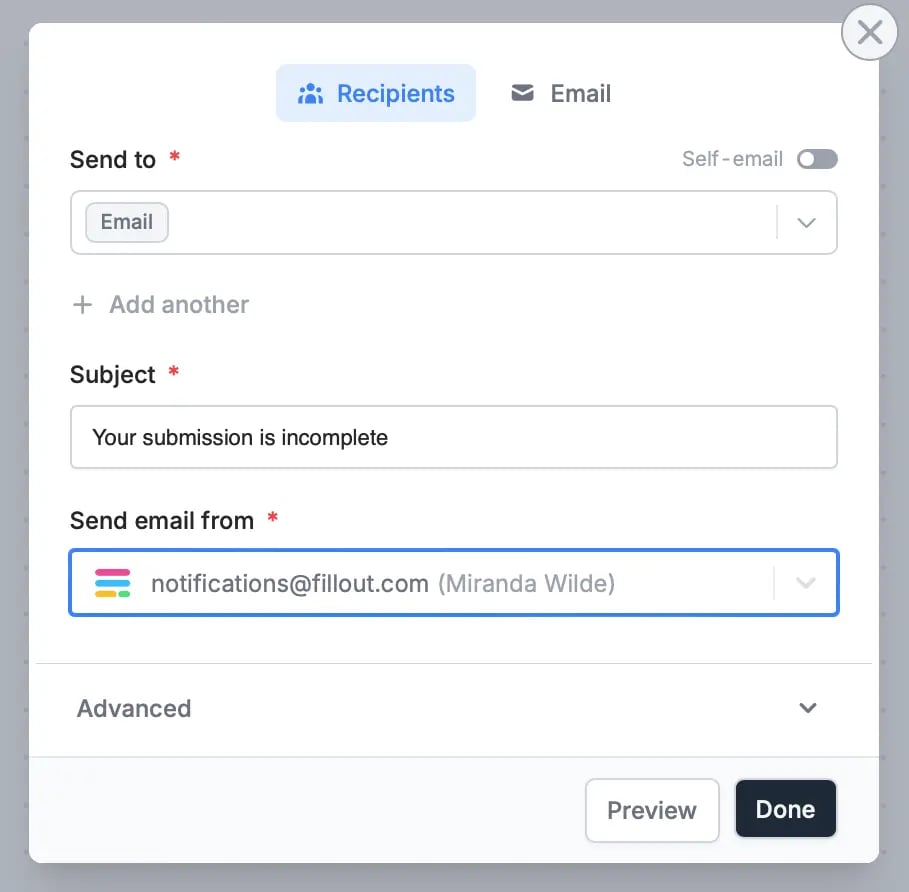 You can also add attachments under **Advanced** and edit the style and content of your message when you click `Email` in the upper section of the pop-up. More info [here](/custom-emails).
## Send Slack message if form abandoned
You can let your team members know when a respondent doesn’t complete a form. Notifications are sent 30 minutes after a form is abandoned by default. To change this, click `Edit` under **Form abandoned** and put your preferred time period.
You can also add attachments under **Advanced** and edit the style and content of your message when you click `Email` in the upper section of the pop-up. More info [here](/custom-emails).
## Send Slack message if form abandoned
You can let your team members know when a respondent doesn’t complete a form. Notifications are sent 30 minutes after a form is abandoned by default. To change this, click `Edit` under **Form abandoned** and put your preferred time period.
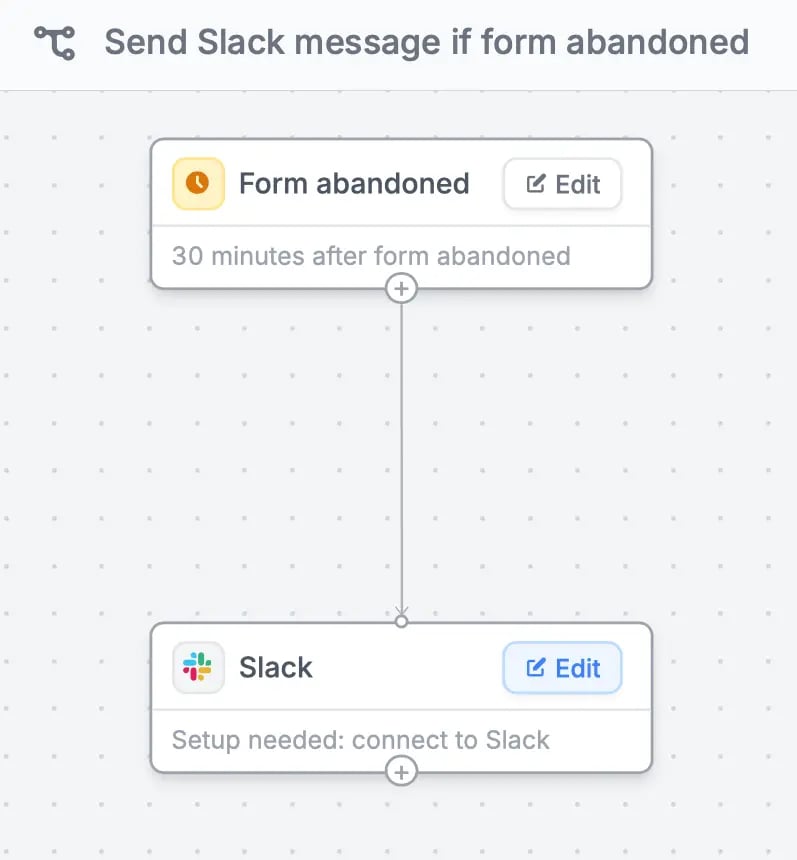 Connect your **Slack** account by clicking `Edit`, then choose your preferred **Channel** to send the alert to. You can also choose `Custom message` to tailor how the notification will look. Check out this [quick guide](/slack).
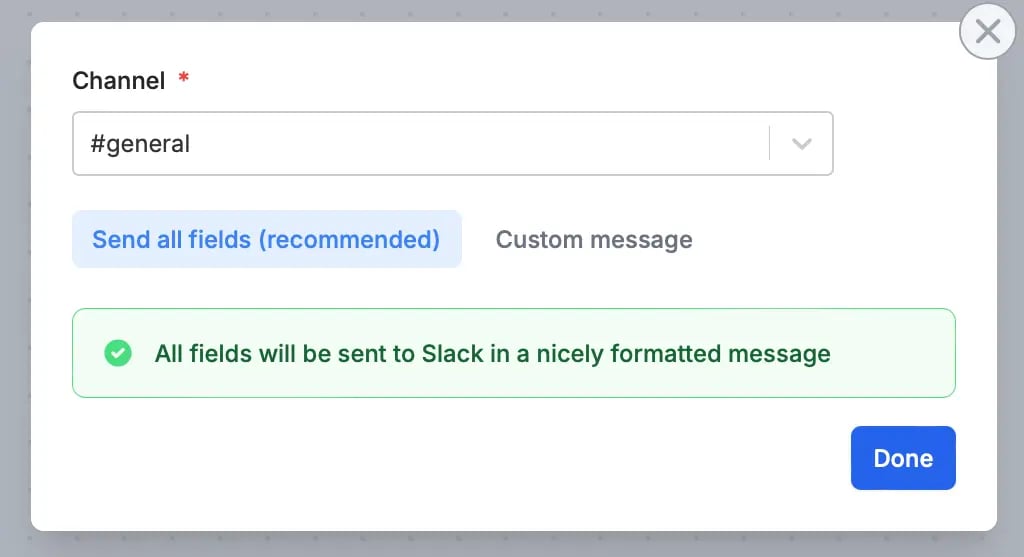 Make sure to `Test` your workflow through the upper right corner, and `Publish` your form when everything’s set.
## Related articles
Simplify task flows with native multi-step automations, triggered by forms.
Automate sending, pipe previous answers, and style your email.
Automatically save respondents' progress so they can resume later.
Make sure to `Test` your workflow through the upper right corner, and `Publish` your form when everything’s set.
## Related articles
Simplify task flows with native multi-step automations, triggered by forms.
Automate sending, pipe previous answers, and style your email.
Automatically save respondents' progress so they can resume later.