> ## Documentation Index
> Fetch the complete documentation index at: https://fillout-005a867b-dependabot-npm-and-yarn-form-data-4-0-6.mintlify.site/llms.txt
> Use this file to discover all available pages before exploring further.
# Use Fillout advanced designer
> Add a custom CSS, edit the look of your buttons, and use more styling options to customize your form and enhance your company or organization's branding.
## How to make advanced edits
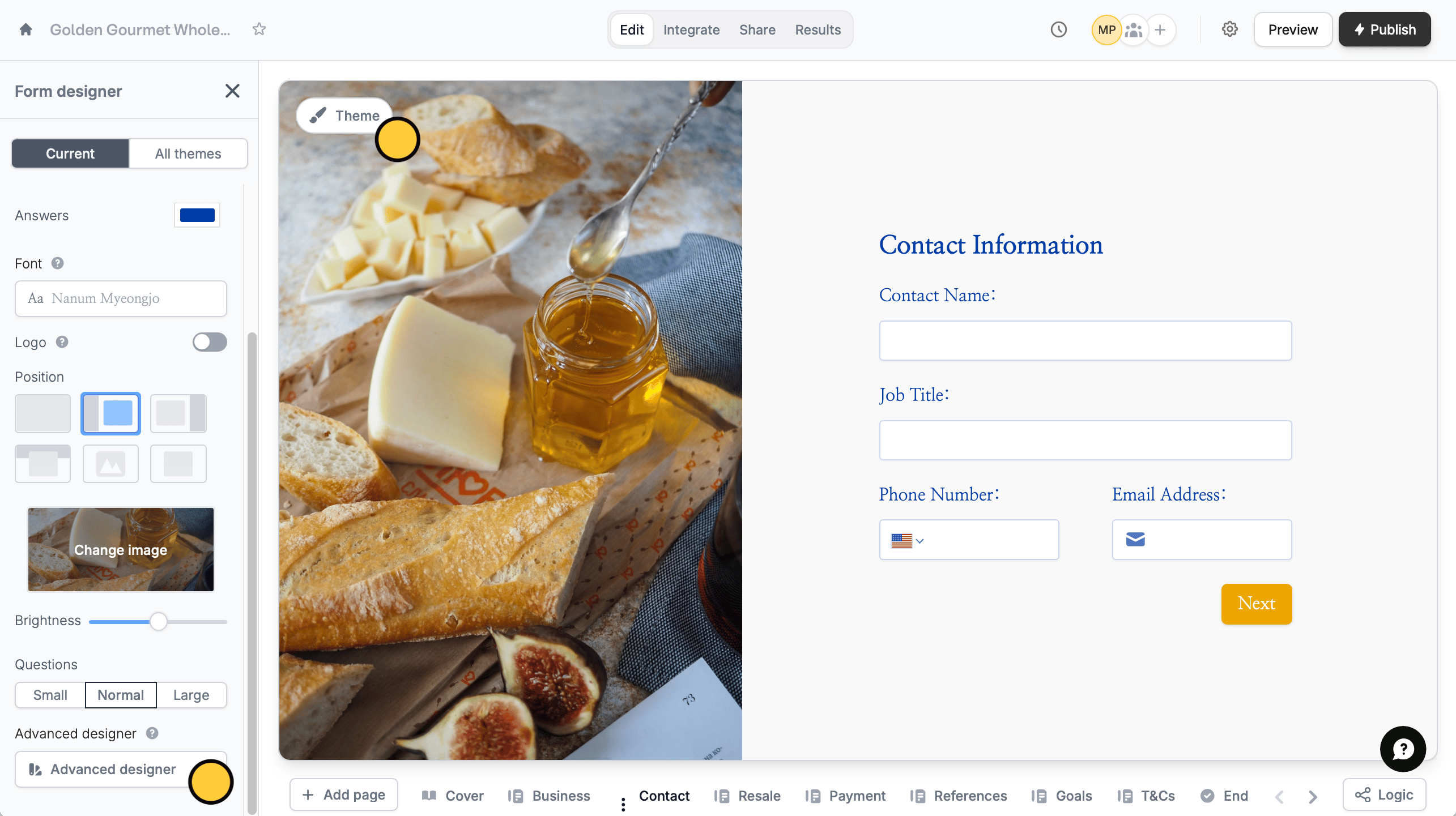
Click `Theme` to open the **Form designer**. Then, scroll down on the left-hand panel, and click `Advanced designer`.
 This feature is available on the **Starter** plan and above (except for custom CSS, which is available for Pro users and above). Learn more about our pricing plans and advanced features [**here**](https://www.fillout.com/pricing).
Our **Advanced designer** lets users:
* [Add custom CSS](/custom-css)
* Edit the input style
* Change the shape of buttons
* Choose a different animation
This feature is available on the **Starter** plan and above (except for custom CSS, which is available for Pro users and above). Learn more about our pricing plans and advanced features [**here**](https://www.fillout.com/pricing).
Our **Advanced designer** lets users:
* [Add custom CSS](/custom-css)
* Edit the input style
* Change the shape of buttons
* Choose a different animation
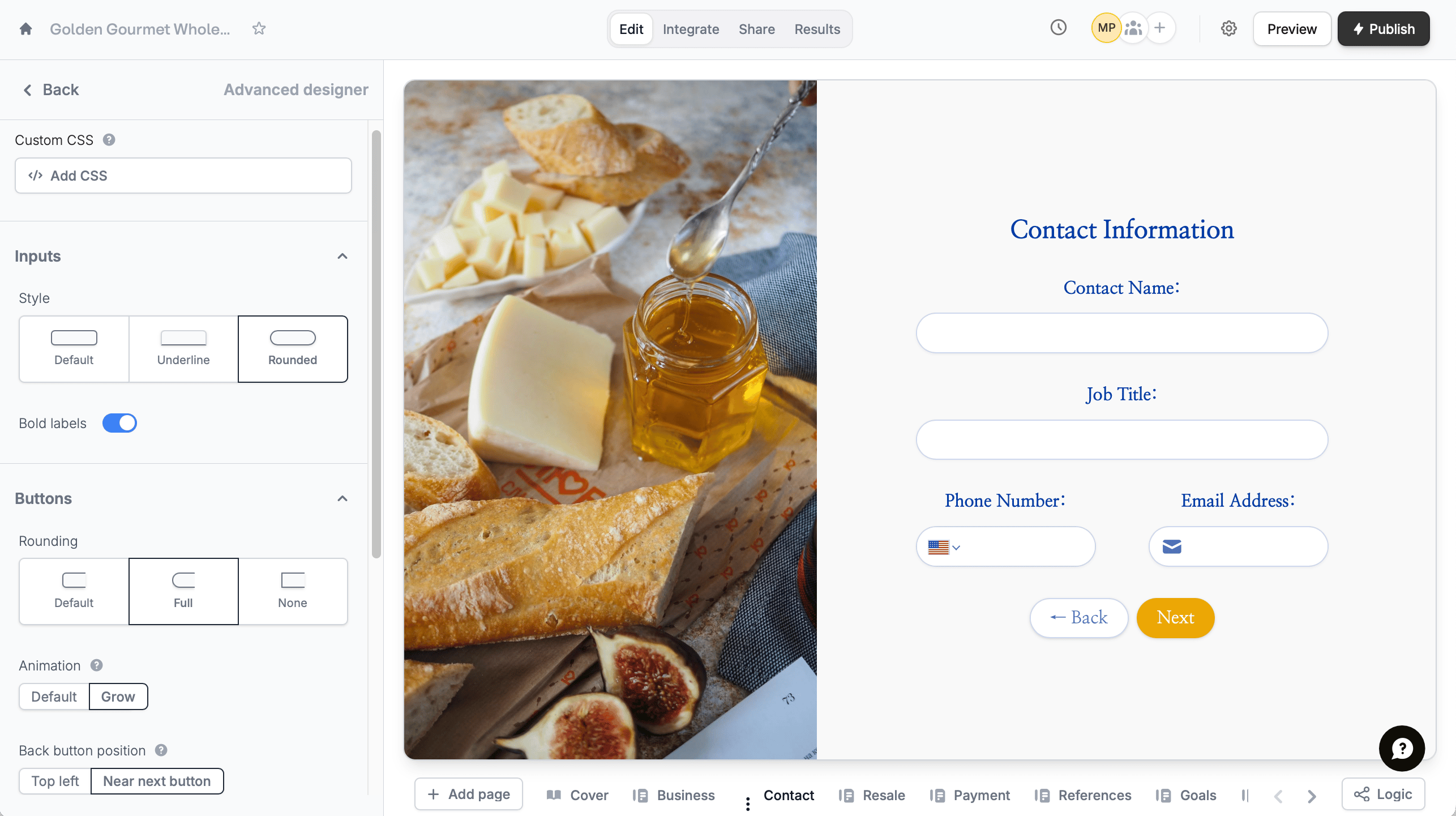 You can also:
* Put the back button beside the next button
* Change the text alignment
* Edit the input width
* Change the padding or spacing between fields
## Related articles
Select from hundreds of themes or create your own.
Customize your form's share link, subdomain and URL ending.
Easily arrange pages and field options.
You can also:
* Put the back button beside the next button
* Change the text alignment
* Edit the input width
* Change the padding or spacing between fields
## Related articles
Select from hundreds of themes or create your own.
Customize your form's share link, subdomain and URL ending.
Easily arrange pages and field options.